
Visual routines
Build daily routines with reorderable tasks, icons, emojis, or uploaded photos. Perfect for pre-readers and visual learners.
A child-first execution board for kids, a light exception inbox for parents, and safe coordination for the wider care team.
Low demand, high clarity — so independence grows without overwhelm.
Build daily routines with reorderable tasks, icons, emojis, or uploaded photos. Perfect for pre-readers and visual learners.
A PIN-locked, always-on Now/Next board for wall tablets. Readable from across the room, free of parent navigation.
Text-to-speech announcements call your child by name and guide transitions — so you are not the constant reminder.
Points, badges, challenges, and a family reward catalog. Celebrations keep consistency feeling like a win.
Ask for a photo when a task needs evidence. Kids capture proof; parents review and approve before points stick.
Turn real places into routine stations. Print a QR or program an NFC tag so kids complete tasks by scanning or tapping.
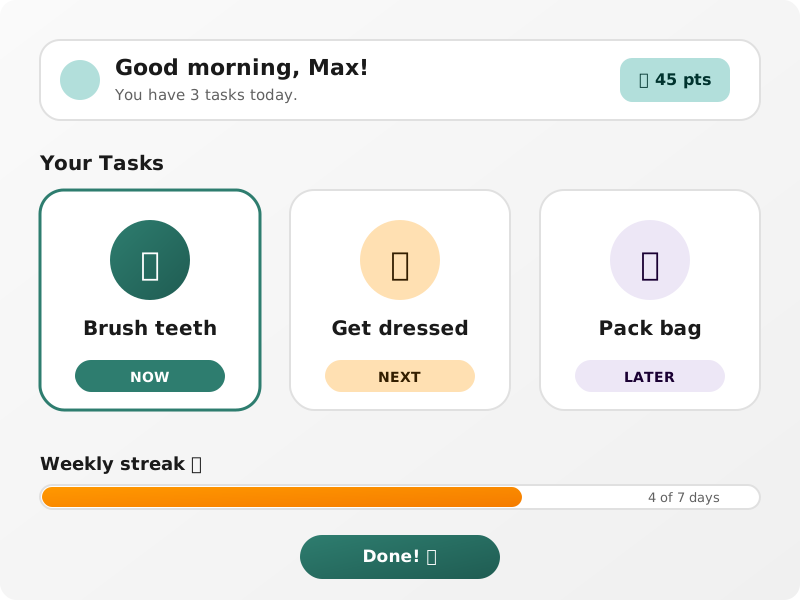
Lock a tablet into a PIN-protected Now/Next presentation. Large type, optional voice name-calls, auto-advance between steps, and no parent settings for little fingers to wander into.
Kids tune out repeated reminders. A friendly voice that calls them by name keeps routines moving — while photo proof and parent approval keep rewards honest.
“Max, time to brush your teeth.”
Next up: get dressed
Photo proof waiting
Parent can approve before points are awarded
Less dashboard babysitting. More support when something actually needs you.
See the active child’s day, pending approvals, and progress at a glance. Act on exceptions instead of monitoring everything.
A dark, still, one-step walkthrough for hard moments — assembled from the child’s sensory profile, not a chatty AI delay.
High-contrast, dyslexia-friendly, reduced-clutter, warm-calm, and kid-friendly palettes. Sensory preferences travel with the child.
Routine optimization suggestions, onboarding drafts, and adaptive challenges — always explainable and approved before they apply.
Completion trends, streaks, and per-child insights so you can spot friction early and adjust routines with evidence.
Generate daily, weekly, monthly, quarterly, or NDIS-oriented progress reports that organize routine evidence for reviews.
Calm Mode is deliberately the opposite of a busy app: dark, still, huge type, one step at a time. Plans come from the child’s sensory profile so help is ready without waiting on a network call.
Calm Mode
Breathe with me
Step 1 of 4 · dim lights · soft voice
Parents, co-parents, caregivers, and therapists stay aligned without sharing more than necessary.
Phone and tablet stay in sync. Pair a dedicated child device with a secure QR setup flow.
Core routines and task completion keep working without internet. Changes sync when the device reconnects.
Grant time-limited access to grandparents, babysitters, or therapists with scoped views and an audit log.
Support split homes: define households, set weekly custody patterns, and keep shared routines and history intact.
Shared family calendar with Google Calendar connect, shopping/packing/to-do lists, and weekly meal planning.
Browse parent-validated templates by category and neuro tag, preview tasks, fork in one tap, and rate what works.
Progress reports help families organize routine evidence for reviews and conversations with support teams. They are not clinical assessments and do not determine funding eligibility. AI suggestions always require parent approval before changing a routine.
Thrivv runs on the iPhone, iPad, or Android device your family already has.